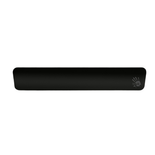
Keyboard  wired MSI Vigor GK30 INFRARED

#5458433

Keyboard wired MSI Vigor GK30 INFRARED

[plunger-type, number of keys - 104, USB Type-A, color black, included: 1 pcs] details

589 000 UZS
Buy
Avail in 2 shops
Color
Warranty: 12 mos.

Accessories

  • Characteristics
  • Feedback 3997
  • Service rating (Reliability assessment)
  • Instructions and files

Characteristics Keyboard wired MSI Vigor GK30 INFRARED

Classification

Type
keyboard
Model
MSI Vigor GK30 INFRARED
Manufacturer Code
[S11-04RUF01-CLA]
Keyboard Type
plunger-type

Appearance

Main Color
black
Extra Color
red
Keyboard Layout Language
Russian, English
Low-Profile Keys
none
Keyboard Backlight
RGB
Character Layout
front side
Backlit
by keycap area

Keys

Total Number of Keys
104
Keycap Material
ABS
Double Shot
none
Round keys
none
Extra Keys
0 pcs
Silent Keys
none

Functionality

Display
none
Numeric Keypad
yes
Scroll Wheel
none
Function Key (Fn)
yes
Keyboard Layout
ANSI
Support for Simultaneous Key Presses
6KRO
Custom Key Binds
yes
MAC OS Support
none

Design

Structural Features
skeleton
Housing Material
plastic
Water Resistant
from splashing
Wrist Rest
yes
Phone stand
none
Hot Swap
none
Keypad Layout
full-size
Noise Insulation
none

Connection and Interfaces

Connection Type
wired
Connection Type
USB Type-A
Cable Length
1.8 m
Fabric Cable Braiding
none
Multi-Device Operation
none

Additional Information

Power Supply Type
from USB
Package Contents
additional keycaps, keycap puller, documentation
Quantity Included
1 pcs

Dimensions and Weight

Width
438 mm
Depth
157 mm
Height
38 mm
Keyboard Weight
1042 g

Description

The MSI Vigor GK30 INFRARED wired keyboard is equipped with 104 keys featuring RGB backlighting, preventing input errors in low ambient lighting. Numerical data can be processed using the numeric keypad. The black body is protected against the adverse effects of moisture.
The MSI Vigor GK30 INFRARED features a wrist rest to reduce strain on the wrists. Access to gaming options is provided via programmable keys. A 1.8-meter USB cable is used when synchronizing with a compatible device.