USB Type-C, DisplayPort (MST), HDMI 2.1 x2, DisplayPort 1.4
Other Connectors
USB Type-C, RJ-45
USB Hub
yes
Number of USB Ports
5 pcs
Headphone Output
yes
HDMI Connector
yes
DisplayPort Connector
yes
DVI Connector
none
VGA Connector
none
Port Direction
vertical
Functions
Touch Screen
none
Eye Protection
Flicker Free, Low Blue Light
Picture-In-Picture
yes
Dual Mode
none
Game Features
none
Design
VESA Size
100 x 100
Swivel Stand
yes
Height Adjustment
yes
Tilt Adjustment
yes
90° Rotation (Portrait Mode)
yes
Accessory Attachment
none
Housing Coating
matte
Lighting
none
Additional Equipment
Webcam
none
Built-In Speaker System
none
Remote Control
none
Wireless Interface
none
Power
Power Supply Location
built-in
Power Consumption When in Use
26 W
Sleep Mode Power Consumption
0.5 W
Standby Power Consumption
0.3 W
Power Supply Voltage
100-240 V / 50-60 Hz
Support For USB Power Delivery
yes
USB Power Delivery Charging Power
140 W
Energy Efficiency Rating
F
Additional Information
Package Contents
USB Type-C - Type-A cable, power cable, DisplayPort - DisplayPort cable, documentation, HDMI - HDMI cable
Extra
built-in KVM switch
Dimensions and Weight
Width Without Stand
613.5 mm
Height Without Base
372.9 mm
Thickness Without Stand
76.4 mm
Monitor Weight Without Stand
6.2 kg
Width With Stand
613.5 mm
Minimum Height with Stand
397.8 mm
Max Height With Stand
552.8 mm
Thickness with Stand
220.4 mm
Monitor Weight With Stand
8.8 kg
Description
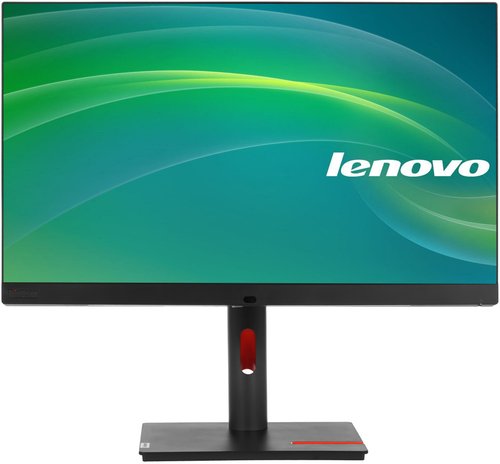
The 27" Lenovo ThinkVision P27pz-30 monitor is a model in a gray casing. The image on the screen looks detailed thanks to 4K resolution. With the DisplayHDR 1000 standard, the picture achieves brightness, saturation, and contrast. The 100% sRGB color gamut ensures realistic color reproduction. This configuration allows using the monitor for graphic design, content creation, and watching movies. Information on the display retains clarity when viewed at angles up to 178°.
The presence of a KVM switch simplifies multitasking: you can connect multiple PCs to the monitor and switch control with a single push of a button. The housing provides DisplayPort, HDMI, and USB Type-C connectors for connecting to a PC and a second monitor, as well as a USB hub for attaching peripheral devices. Height and tilt adjustments of the screen position, along with pivoting into portrait mode, allow you to tailor the monitor to your needs and task. Reduction of eye strain during prolonged work at the monitor is provided by Flicker Free and Low Blue Light protection technologies.